Guide
Ikariam Helper Bot Guide
Ikariam Helper Bot is an independent browser extension that organizes automation into nine feature tabs. Each feature has its own master toggle, and multi-purpose features add separate subtask switches or checkboxes inside the panel.
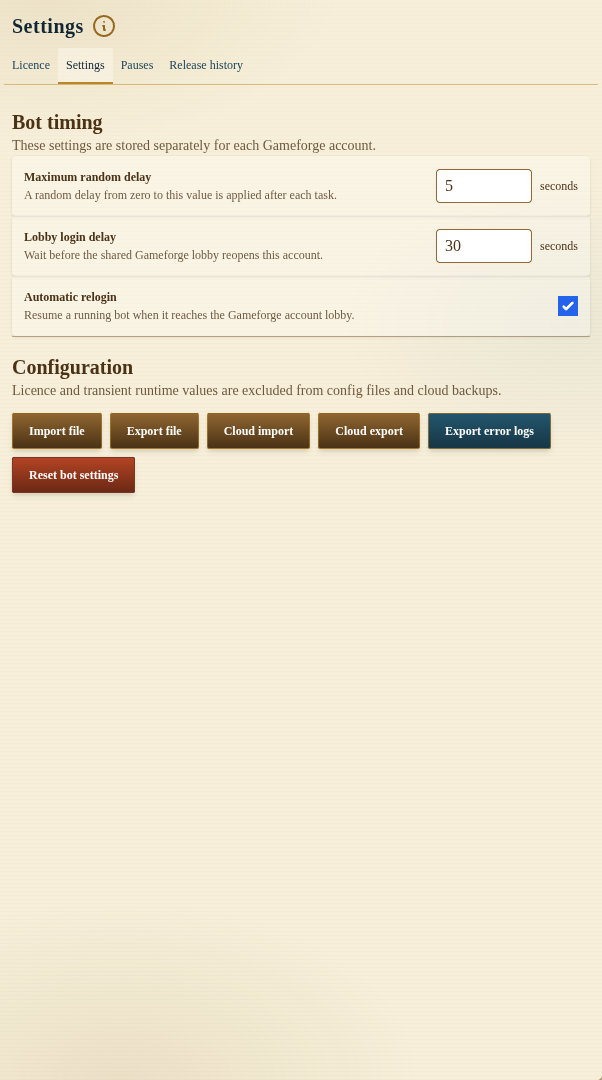
Development preview captured on 25 September 2026 from local build 1.0.0. The public Chrome Web Store release was 1.0.0 when checked that day; its controls may differ.
The extension is not an official Ikariam or Gameforge product. Gameforge's Ikariam game rules restrict bots, macros, and other automation used for an advantage. Check the rules for your world and verify important targets, amounts, and queues in the live game before deciding whether to use automation.
Available Features
- Auto Build queues upgrades and new buildings, supplies missing construction resources from other cities, and prepares colony orders.
- Barbarians runs configurable attack waves or automatic grinding with level-based troop requirements.
- Piracy selects eligible Pirate Fortress missions, handles captcha state, prepares missions before pauses, and optionally converts capture points.
- Resources sends resources through automatic rules, consolidates stock, and balances selected goods between cities.
- Military manages troop and ship training, deployments, pillaging, espionage, and spy reports.
- Trade searches Trading Post offers and queues marketplace purchases, sales, and owned offers.
- Cities handles daily rewards, research, miracles, cinema bonuses, shrines, donations, and production settings.
- Islands scans map regions, deep-scans player data, prepares raids, and farms eligible inactive cities.
- Notifications monitors wine and incoming attacks and routes selected alerts to the browser or Telegram.
Master Toggles and Subtasks
A sidebar toggle controls the whole feature. A subtask toggle controls one workflow inside that feature. Both must be enabled when both are present.
For example, enabling Resources does not automatically turn on Automatic Rules, Consolidate, or Balance. Enabling Barbarians does not automatically activate Manual Attack or Auto Grind.
City Data and Automatic Selection
The extension keeps account-specific city, building, resource, transporter, island, and queue data while a supported Ikariam world is open. Most city-scoped tasks switch to their configured city before requesting the action, so you do not need to remain in that city manually.
Some workflows can choose an eligible city automatically. Automatic selection still validates required buildings and current server state. A missing Pirate Fortress, Barracks, Shipyard, Academy, Temple, Trading Post, or resource slider can prevent an action.
Queues and Scheduling
One-shot actions—such as a building target, deployment, espionage mission, marketplace operation, or colony order—remain visible in their queue until completed, removed, or marked blocked.
Recurring tasks store a Next check deadline. Dismissing that notice makes the task eligible to check again; it does not bypass resources, transporters, cooldowns, construction slots, game prerequisites, or server rejection.
Recommended First Setup
- Install the extension and open the intended Ikariam world.
- Confirm the correct account and city list appear.
- Enable one feature master toggle.
- Configure one low-impact subtask with conservative values.
- Watch a complete cycle in the task log and live game state.
- Add other cities and workflows gradually.
- Review timers and queues after changing cities, buildings, or targets.
Troubleshooting Checklist
If a task does not run, check:
- the bot itself is running;
- the feature master toggle and granular toggle are enabled;
- a valid city, island, or target is selected;
- the Next check deadline is due;
- required buildings and resources exist;
- troops, ships, transporters, population, favour, or construction slots are available; and
- the extension log does not report a server rejection or unresolved captcha.
FAQ
Can different features use different cities?
Yes. City-scoped settings are stored per account and most features expose their own city selectors or per-city configurations.
Does dismissing Next check force an action?
No. It clears the stored schedule so another eligibility check can occur. The game’s current requirements still decide whether an action is possible.
Where should a new user begin?
Begin with one routine whose result is easy to verify, such as a single resource rule or city action. Confirm the result before enabling building, military, farming, or irreversible conversion workflows.