
Guide
Ikariam Resource Transfer Guide
The Resources feature contains three independently switchable workflows: Automatic Rules, Consolidate, and Balance. Supported resources are wood, wine, marble, crystal, and sulfur.
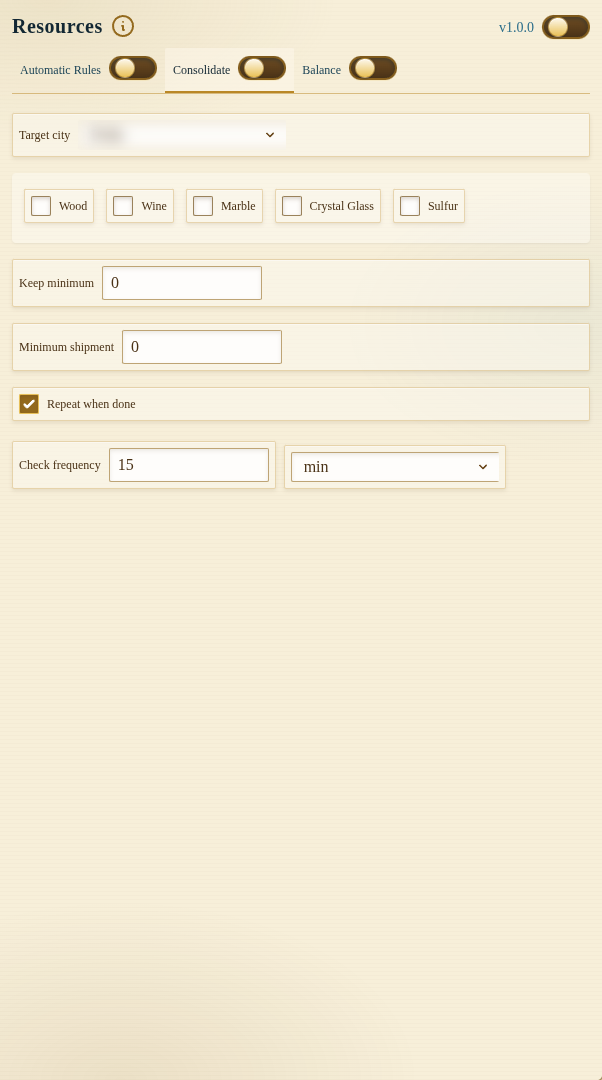
Development preview captured on 25 September 2026 from local build 1.0.0 with the module off. The target city name is blurred. The public Chrome Web Store release was 1.0.0 when checked that day; its controls may differ.
Enable the Resources master toggle and only the subtask switches you intend to run. Each workflow stores its own schedule.
Automatic Rules
An automatic rule selects an origin city, destination city, and one or more resource amounts. For every resource you configure, you can also set:
- Keep minimum, protecting stock in the origin city; and
- Minimum required, preventing an undersized shipment when too little can be sent.
The origin and destination must be different. The task reads current stock and available transporters before sending, then schedules the next check from the configured run frequency and known transport return time.
Rules are recurring until removed. Review the list for duplicate or opposing routes.
Consolidate
Consolidate gathers selected resource types into one target city. Choose the target, select the resources, set a minimum retained in sending cities, and set the smallest acceptable shipment.
Enable Repeat when done when consolidation should continue after the current pass. The run frequency controls how often another pass becomes eligible.
This workflow is useful when several producer cities support one upgrade city. Avoid configuring an automatic rule that immediately moves the same stock away from the consolidation target.
Balance
Balance compares selected resource amounts across detected cities and plans transfers when the difference exceeds the configured tolerance percentage. Keep minimum protects a base stock in the sending city.
A very low tolerance can create frequent shipments. Begin with a wider tolerance and longer frequency, observe several cycles, and narrow the values only when needed.
Scheduling and Transporters
Each route or city location has its own timing inside the task schedule. The visible Next check value is the earliest due configured location. Clearing the schedule makes all active locations eligible for a fresh check; it does not erase rules or force unavailable transporters to return.
Shipment amounts can be limited by stock above the protected minimum, free cargo capacity, current movements, and the server response.
Safe Configuration Checklist
- Confirm origin and destination cities.
- Protect wine and planned construction stock.
- Set a meaningful Minimum required value.
- Enable one workflow first.
- Avoid circular or overlapping transfers.
- Review transporter availability and the task log.
Auto Build has a separate construction Resource Supply workflow. Trading Post purchases and offers are covered in Trade.
FAQ
Can one automatic rule send several resources?
Yes. A rule can configure amounts, protected minimums, and minimum shipment requirements for multiple supported resources between the same two cities.
What does Balance tolerance mean?
It controls how different selected city stocks may be before the task considers a balancing transfer. Smaller percentages make the workflow more sensitive.
Why was less sent than configured?
Available stock above the reserve, minimum shipment rules, transporter capacity, active movements, and current server state can all limit a shipment.